Comprehensive Data Visualization with ScatterBubble2D
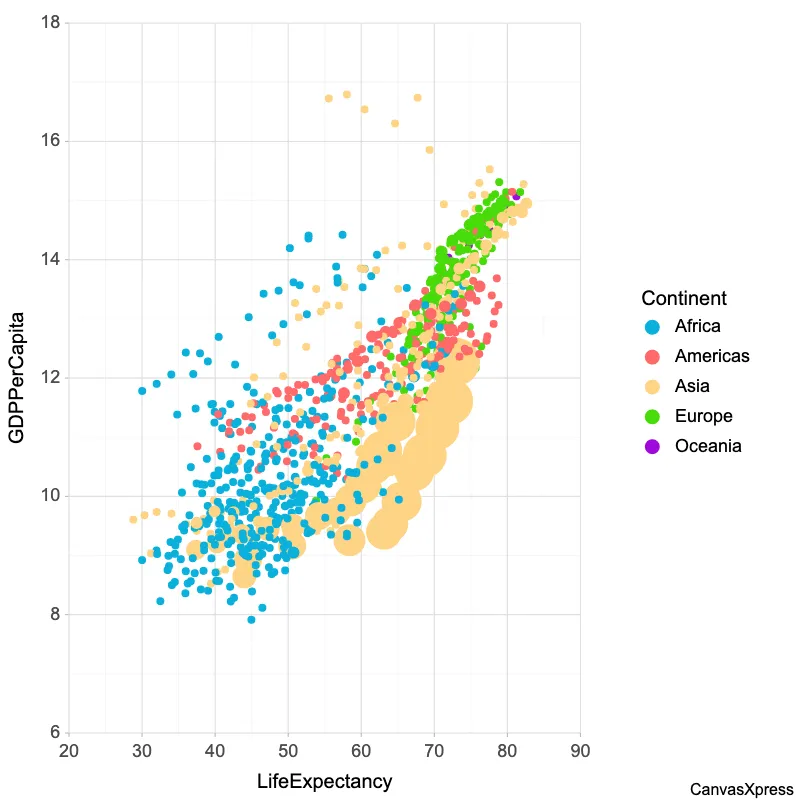
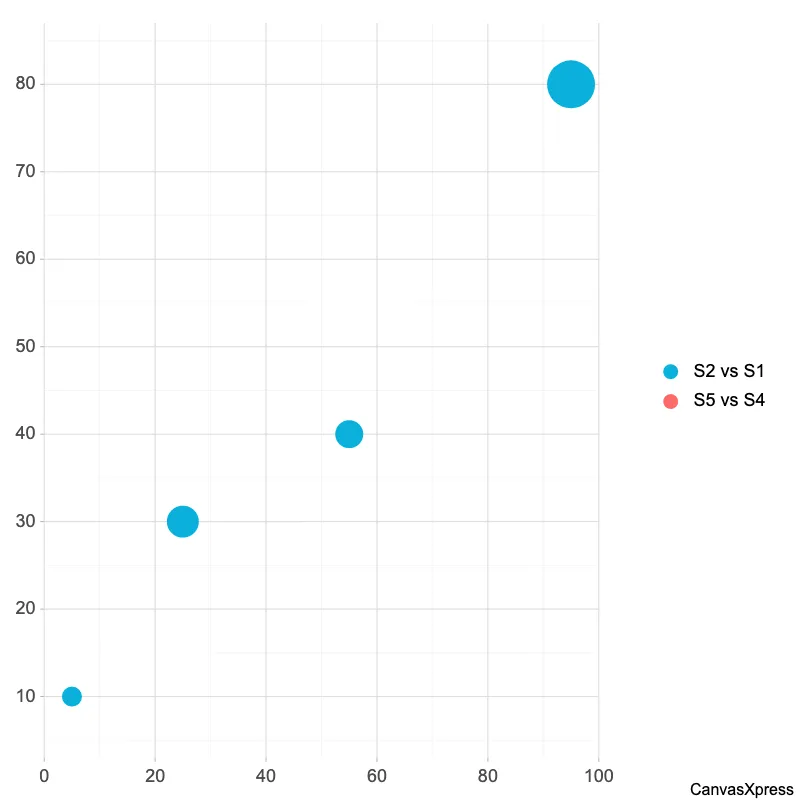
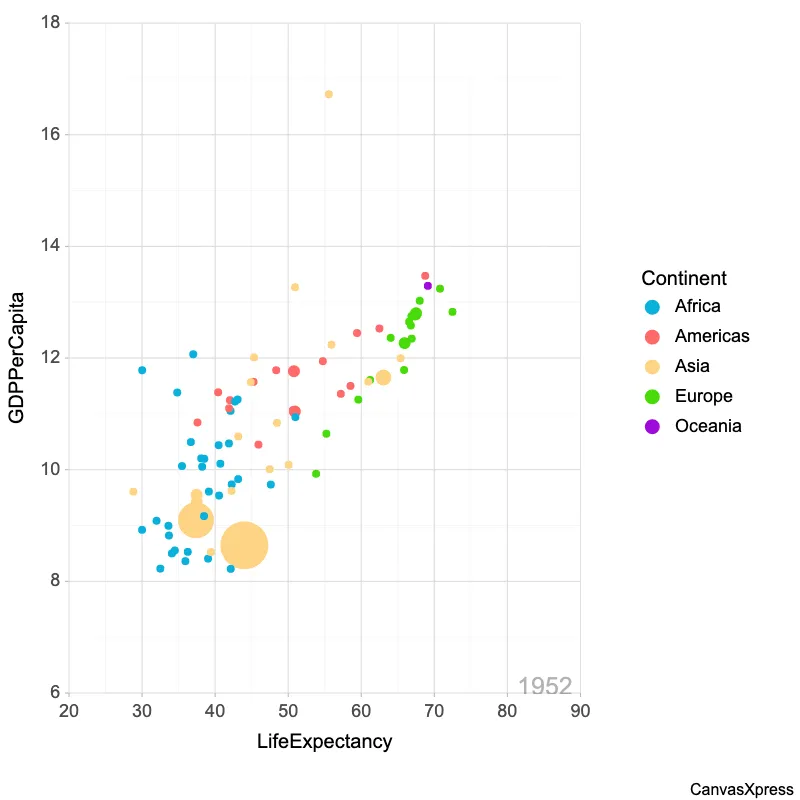
ScatterBubble2D graphs are a powerful visualization tool that extends the functionality of traditional scatter plots by incorporating a third dimension represented by the size of the bubbles. This allows for the representation of three variables simultaneously on a two-dimensional plane, making it ideal for exploring relationships between data points where size matters. Applications range from financial analysis, where bubble size might represent market capitalization, to scientific research, where it could indicate population density. Creating effective ScatterBubble2D graphs requires careful consideration of data scaling and color choices for optimal clarity. Interactive features such as tooltips and zooming can enhance user understanding and exploration of complex datasets. The appropriate selection of graph parameters can unlock valuable insights, transforming complex data into easily digestible visual representations.


<html>

  <head>
    <!-- Include the CanvasXpress library in your HTML file -->
    <link rel="stylesheet" href="https://www.canvasxpress.org/dist/canvasXpress.css" type="text/css"/>
    <script src="https://www.canvasxpress.org/dist/canvasXpress.min.js"></script>
  </head>

  <body>

    <!-- Create a canvas element for the chart with the desired dimensions -->
    <div>
      <canvas id="canvasId" width="600" height="600"></canvas>
    </div>


    <!-- Create a script to initialize the chart -->
    <script>

      // Use a data frame (2D-array) for the graph
      var data = [
        [ "Id", "V1", "V2", "V3", "V4", "Factor4", "Factor6", "Factor3", "Factor1", "Factor2", "Factor5"],
        [ "S1", 5, 95, 25, 55, 5, 10, "Lev : X", "Lev : 1", "Lev : A", 8],
        [ "S2", 10, 80, 30, 40, 10, 20, "Lev : X", "Lev : 2", "Lev : B", 16],
        [ "S3", 25, 75, 45, 35, 15, 30, "Lev : Y", "Lev : 3", "Lev : A", 24],
        [ "S4", 40, 70, 60, 30, 20, 40, "Lev : Y", "Lev : 1", "Lev : B", 32],
        [ "S5", 45, 55, 65, 15, 25, 50, "Lev : Z", "Lev : 2", "Lev : A", 40],
        [ "S6", 50, 40, 70, 1, 30, 60, "Lev : Z", "Lev : 3", "Lev : B", 48 ]
      ];

      // Create the configuration for the graph
      var config = {
        "graphType": "ScatterBubble2D",
        "xAxis": ["S1", "S4"],
        "yAxis": ["S2", "S5"],
        "zAxis": ["S3", "S6"]
      }

      // Event used to create graph (optional)
      var events = false

      // Call the CanvasXpress function to create the graph
      var cX = new CanvasXpress("canvasId", data, config, events);

    </script>

  </body>

</html>
<html>

  <head>
    <!-- Include the CanvasXpress library in your HTML file -->
    <link rel="stylesheet" href="https://www.canvasxpress.org/dist/canvasXpress.css" type="text/css"/>
    <script src="https://www.canvasxpress.org/dist/canvasXpress.min.js"></script>
  </head>

  <body>

    <!-- Create a canvas element for the chart with the desired dimensions -->
    <div>
      <canvas id="canvasId" width="600" height="600"></canvas>
    </div>


    <!-- Create a script to initialize the chart -->
    <script>

      // Create the data for the graph
      var data = {
         "x" : {
            "Factor1" : ["Lev : 1","Lev : 2","Lev : 3","Lev : 1","Lev : 2","Lev : 3"],
            "Factor2" : ["Lev : A","Lev : B","Lev : A","Lev : B","Lev : A","Lev : B"],
            "Factor3" : ["Lev : X","Lev : X","Lev : Y","Lev : Y","Lev : Z","Lev : Z"],
            "Factor4" : [5,10,15,20,25,30],
            "Factor5" : [8,16,24,32,40,48],
            "Factor6" : [10,20,30,40,50,60]
         },
         "y" : {
            "data" : [
              [5,10,25,40,45,50],
              [95,80,75,70,55,40],
              [25,30,45,60,65,70],
              [55,40,35,30,15,1]
            ],
            "desc" : ["Magnitude1","Magnitude2"],
            "smps" : ["S1","S2","S3","S4","S5","S6"],
            "vars" : ["V1","V2","V3","V4"]
         },
         "z" : {
            "Annt1" : ["Desc : 1","Desc : 2","Desc : 3","Desc : 4"],
            "Annt2" : ["Desc : A","Desc : B","Desc : A","Desc : B"],
            "Annt3" : ["Desc : X","Desc : X","Desc : Y","Desc : Y"],
            "Annt4" : [5,10,15,20],
            "Annt5" : [8,16,24,32],
            "Annt6" : [10,20,30,40]
         }
      }

      // Create the configuration for the graph
      var config = {
        "graphType": "ScatterBubble2D",
        "xAxis": ["S1", "S4"],
        "yAxis": ["S2", "S5"],
        "zAxis": ["S3", "S6"]
      }

      // Event used to create graph (optional)
      var events = false

            // Call the CanvasXpress function to create the graph
      var cX = new CanvasXpress("canvasId", data, config, events);

    </script>

  </body>

</html>
library(canvasXpress)
y=read.table("https://www.canvasxpress.org/data/r/cX-generic-dat.txt", header=TRUE, sep="\t", quote="", row.names=1, fill=TRUE, check.names=FALSE, stringsAsFactors=FALSE)
x=read.table("https://www.canvasxpress.org/data/r/cX-generic-smp.txt", header=TRUE, sep="\t", quote="", row.names=1, fill=TRUE, check.names=FALSE, stringsAsFactors=FALSE)
z=read.table("https://www.canvasxpress.org/data/r/cX-generic-var.txt", header=TRUE, sep="\t", quote="", row.names=1, fill=TRUE, check.names=FALSE, stringsAsFactors=FALSE)
canvasXpress(
data=y,
smpAnnot=x,
varAnnot=z,
graphType="ScatterBubble2D",
xAxis=list("S1", "S4"),
yAxis=list("S2", "S5"),
zAxis=list("S3", "S6")
)