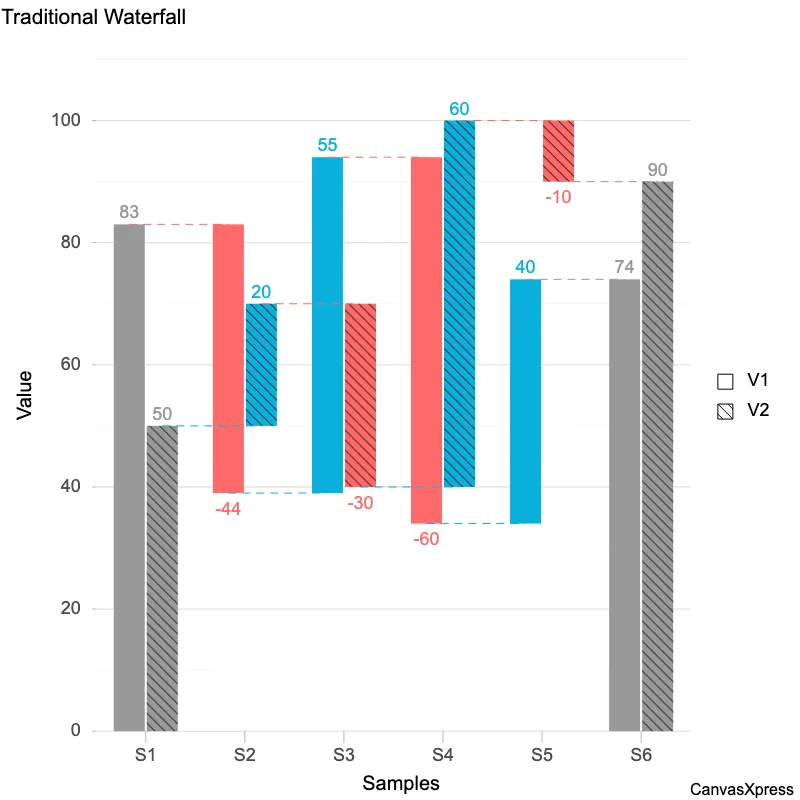
Waterfall Graph for Project Progress
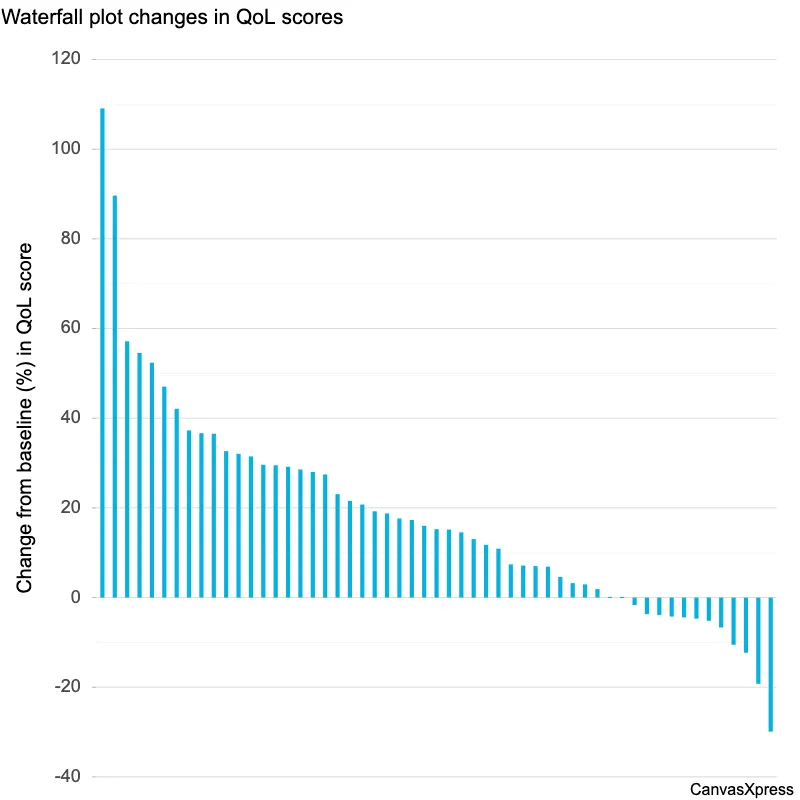
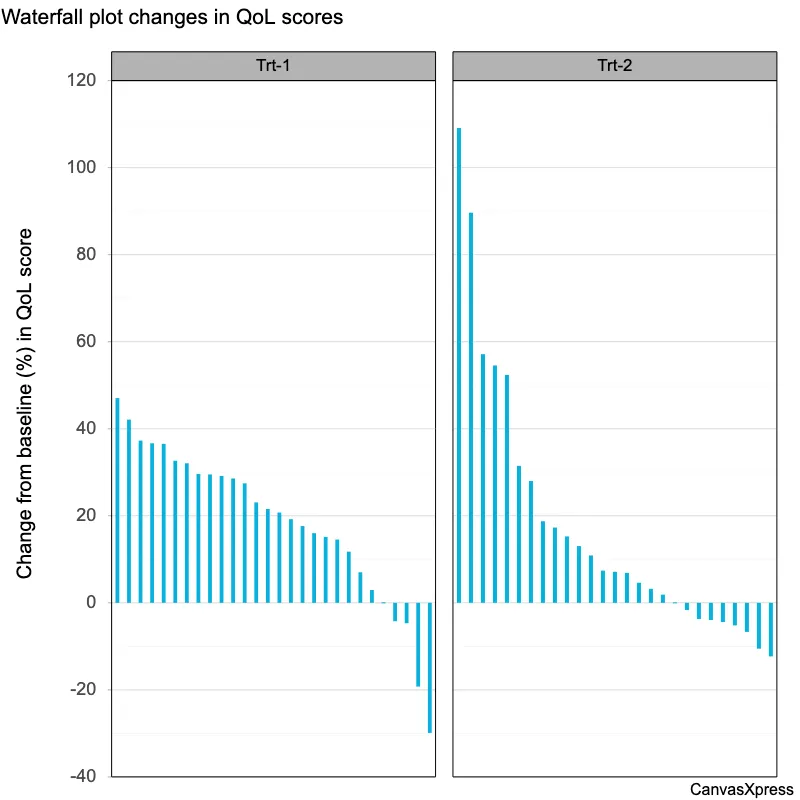
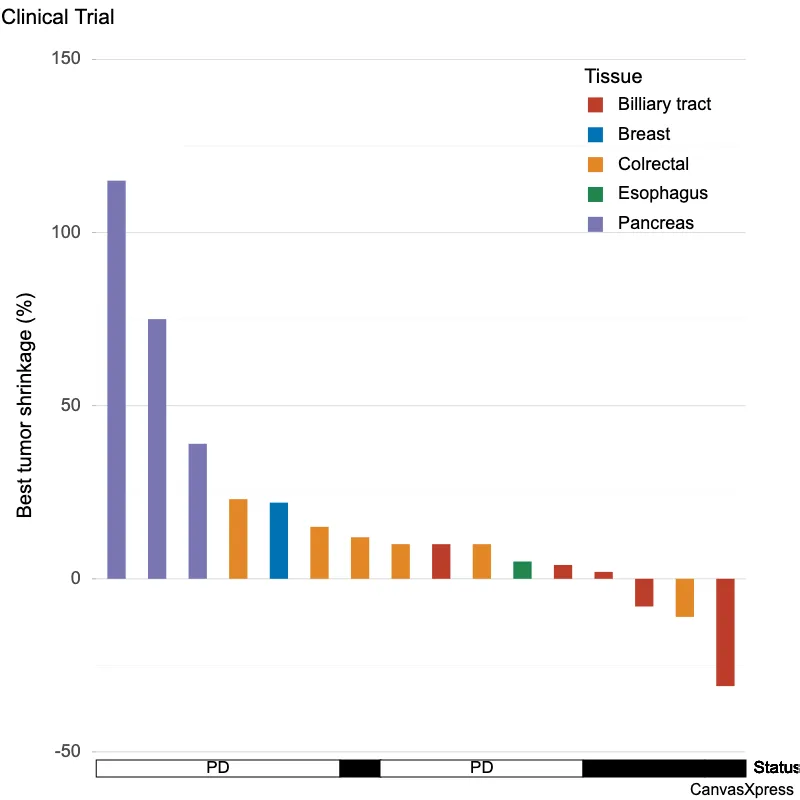
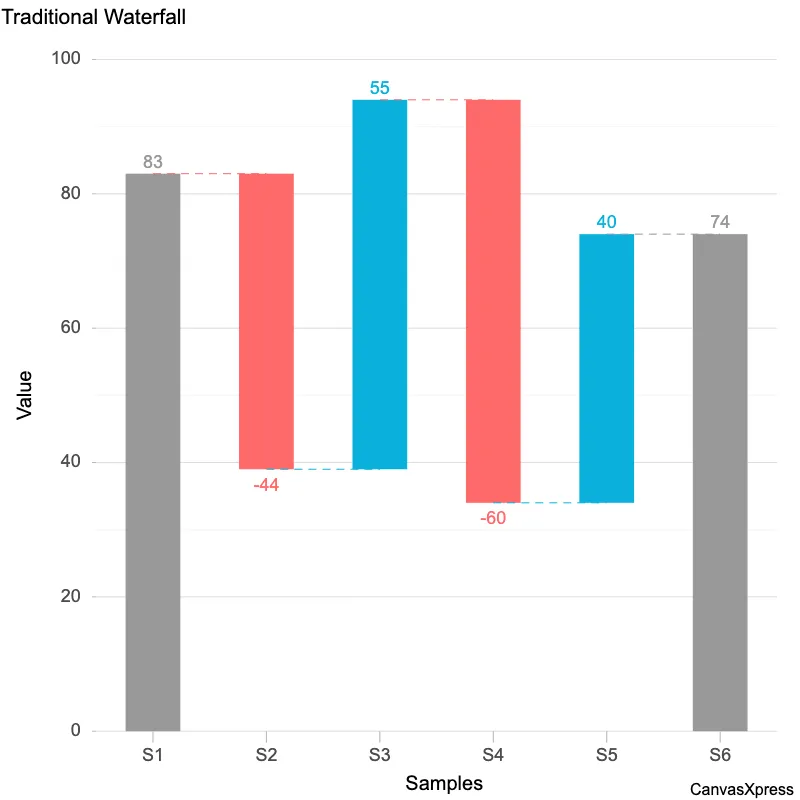
Waterfall graphs provide a clear, visual representation of data over time, making them ideal for tracking project progress or budget allocation. They are particularly useful for illustrating cumulative effects, showing how individual components contribute to a final total. Understanding waterfall charts enhances data interpretation, leading to better decision-making across various fields, from finance to software development. Their simplicity facilitates quick comprehension of complex datasets, enabling effective communication of key trends and insights.


<html>

  <head>
    <!-- Include the CanvasXpress library in your HTML file -->
    <link rel="stylesheet" href="https://www.canvasxpress.org/dist/canvasXpress.css" type="text/css"/>
    <script src="https://www.canvasxpress.org/dist/canvasXpress.min.js"></script>
  </head>

  <body>

    <!-- Create a canvas element for the chart with the desired dimensions -->
    <div>
      <canvas id="canvasId" width="600" height="600"></canvas>
    </div>


    <!-- Create a script to initialize the chart -->
    <script>

      // Use a data frame (2D-array) for the graph
      var data = [
        [ "Id", "V1", "V2"],
        [ "S1", 83, 50],
        [ "S2", -44, 20],
        [ "S3", 55, -30],
        [ "S4", -60, 60],
        [ "S5", 40, -10],
        [ "S6", 0, 0 ]
      ];

      // Create the configuration for the graph
      var config = {
        "graphOrientation": "vertical",
        "graphType": "Waterfall",
        "smpTextRotate": 90,
        "smpTitle": "Samples",
        "title": "Traditional Waterfall",
        "xAxis": ["V1", "V2"],
        "xAxisTitle": "Value"
      }

      // Event used to create graph (optional)
      var events = false

      // Call the CanvasXpress function to create the graph
      var cX = new CanvasXpress("canvasId", data, config, events);

    </script>

  </body>

</html>
<html>

  <head>
    <!-- Include the CanvasXpress library in your HTML file -->
    <link rel="stylesheet" href="https://www.canvasxpress.org/dist/canvasXpress.css" type="text/css"/>
    <script src="https://www.canvasxpress.org/dist/canvasXpress.min.js"></script>
  </head>

  <body>

    <!-- Create a canvas element for the chart with the desired dimensions -->
    <div>
      <canvas id="canvasId" width="600" height="600"></canvas>
    </div>


    <!-- Create a script to initialize the chart -->
    <script>

      // Create the data for the graph
      var data = {
         "y" : {
            "data" : [
              [83,-44,55,-60,40,0],
              [50,20,-30,60,-10,0]
            ],
            "smps" : ["S1","S2","S3","S4","S5","S6"],
            "vars" : ["V1","V2"]
         }
      }

      // Create the configuration for the graph
      var config = {
        "graphOrientation": "vertical",
        "graphType": "Waterfall",
        "smpTextRotate": 90,
        "smpTitle": "Samples",
        "title": "Traditional Waterfall",
        "xAxis": ["V1", "V2"],
        "xAxisTitle": "Value"
      }

      // Event used to create graph (optional)
      var events = false

            // Call the CanvasXpress function to create the graph
      var cX = new CanvasXpress("canvasId", data, config, events);

    </script>

  </body>

</html>
library(canvasXpress)
y=read.table("https://www.canvasxpress.org/data/r/cX-waterfall4-dat.txt", header=TRUE, sep="\t", quote="", row.names=1, fill=TRUE, check.names=FALSE, stringsAsFactors=FALSE)
canvasXpress(
data=y,
graphOrientation="vertical",
graphType="Waterfall",
smpTextRotate=90,
smpTitle="Samples",
title="Traditional Waterfall",
xAxis=list("V1", "V2"),
xAxisTitle="Value"
)
from canvasxpress.canvas import CanvasXpress
from canvasxpress.plot import show_in_browser

if __name__ == "__main__":
  # Define the chart with its data and configuration
  chart: CanvasXpress = CanvasXpress(
    render_to = "waterfall5",
    data = {
      "y": {
        "data": [
          [83, -44, 55, -60, 40, 0],
          [50, 20, -30, 60, -10, 0]
        ],
        "smps": ["S1", "S2", "S3", "S4", "S5", "S6"],
        "vars": ["V1", "V2"]
      }
    },
    config = {
      "graphOrientation": "vertical",
      "graphType": "Waterfall",
      "smpTextRotate": 90,
      "smpTitle": "Samples",
      "title": "Traditional Waterfall",
      "xAxis": ["V1", "V2"],
      "xAxisTitle": "Value"
    },
    width = 600,
    height = 600
  )

  # Display the chart in its own Web page
  show_in_browser(chart)
Run this notebook:

from canvasxpress.canvas import CanvasXpress
from canvasxpress.plot import graph

graph(
  CanvasXpress(
    render_to = "waterfall5",
    data = {
      "y": {
        "data": [
          [83, -44, 55, -60, 40, 0],
          [50, 20, -30, 60, -10, 0]
        ],
        "smps": ["S1", "S2", "S3", "S4", "S5", "S6"],
        "vars": ["V1", "V2"]
      }
    },
    config = {
      "graphOrientation": "vertical",
      "graphType": "Waterfall",
      "smpTextRotate": 90,
      "smpTitle": "Samples",
      "title": "Traditional Waterfall",
      "xAxis": ["V1", "V2"],
      "xAxisTitle": "Value"
    },
    width = 600,
    height = 600
  )
)